
Last updated: November 2026
So you're just getting started building your website on Squarespace. You see that Squarespace has free templates you can choose from. But you've also seen other templates you can pay for, and now you're confused about the difference between Squarespace's included built-in templates and the templates you'd pay for.
Great question! We were the first Squarespace template shop back in 2014, and we've designed 80+ Squarespace templates and sold 16,400+ of them since. So we understand exactly when someone should use a free template, and what happens when they upgrade to a paid one.
Here's the short answer: Free Squarespace templates come included with any Squarespace plan (from $19 a month) and give you a clean but basic starting point, while premium Squarespace templates cost $99 to $495 one-time and give you a designer-built site with the design and conversion strategy already baked in. Both are built on the same Squarespace 7.1 drag-and-drop editor, so the real difference is the quality of the design and strategy, plus the extra support you get.
This guide covers the real differences between free and premium Squarespace templates in 2027, what each one actually includes, who each one is best for, and how to decide which is right for your business.
Key Facts
Squarespace has just under 200 free built-in templates
You can start a 14-day free trial with Squarespace to test out their free templates and their drag-and-drop website builder
There are 100+ independent Squarespace template shops selling paid templates
Premium templates sold by independent Squarespace template shops are $99 to $495 one-time
Third-party templates are built on Squarespace's same drag-and-drop website builder
You'll need a website hosting subscription with Squarespace to publish your site (whether you use their template or one from a template shop), and plans start at $19/month
At a Glance: What's the difference between free and paid Squarespace templates?
Every Squarespace template, free or premium, is built on the same Squarespace 7.1 drag-and-drop editor. The difference comes down to the quality of the design and strategy, plus the extra support you get.
Free Squarespace templates come included with any Squarespace plan (from $19 a month), and there are nearly 200 to choose from. They give you a clean starting point, but the designs are often basic and aren't built to really wow visitors or make the next step simple.
Premium Squarespace templates cost $99 to $495 one-time and give you a designer-built Squarespace site with that designer's design and conversion strategy baked in. Most of these designers have built hundreds of custom sites on Squarespace, so they know what works, and it shows in their templates. You just swap your colors, images, and text into a layout that's already built to convert. Basically, you get to launch a custom-looking site without the designer price tag. Most paid templates also come with step-by-step customization tutorials, design, copywriting, and SEO tips, and support.
For example, here's how our 31 premium templates compare to Squarespace's 200 free ones.
| Feature | Squarespace's Free Templates | GoLive HQ's Premium Templates |
|---|---|---|
| Price | $0 (included with any plan, from $19/mo) | $299 one-time (+ Squarespace subscription plan) |
| Design | Built with Squarespace's simple, basic blocks. Clean and a good starting point, but not many beautifully designed elements. | Every section is designed by our team to look beautiful and build instant trust, because people 100% judge whether they can trust your service based on your website design, even when what you're selling has absolutely NOTHING to do with design. |
| Website Conversion Strategy | A generic starting point, with the strategy left up to you. | We're using the same strategies we've used on 950+ custom sites to build design layouts you can steal, so you can launch a site that actually turns your visitors into customers who take the next step with you. |
| Tutorials | DIY guesswork. Click around until it looks right, then hunt through help docs and YouTube when you get stuck. | A step-by-step launch plan with video tutorials, plus our best tips on SEO, writing copy that converts, and design. |
| Support | Chat support | Unlimited email and Loom video support from a real human on our team. |
| Best for | Testing an idea or launching a simple site on a tight budget. | Coaches, speakers, experts, and service businesses who want a site that looks like a $10k website and books clients. |
Free Squarespace Templates: what do you actually get?
$0 (+ website hosting plan from $19/month)
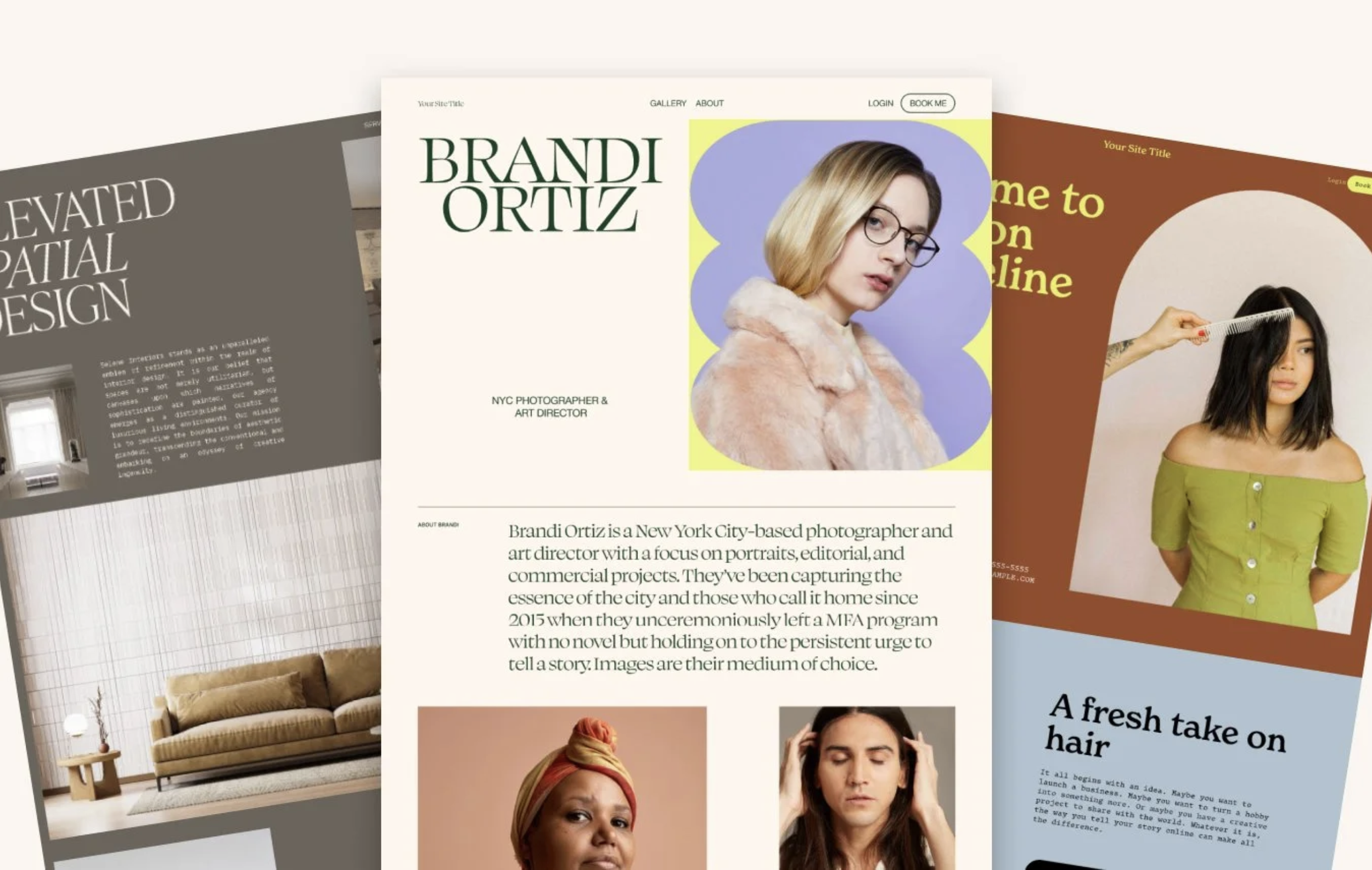
Squarespace gives you a 14-day free trial to their website builder, no credit card required. You can pick any of their nearly 200 free templates and use the drag-and-drop editor to DIY your site from scratch.
You'll only pay for a website hosting plan once you're ready to publish. And since every Squarespace template uses the same Fluid Engine editor, you can switch templates later without losing your plan.
The pros and cons using Squarespace’s free templates
They're free with your Squarespace plan. No extra cost on top of the hosting plan you're already paying for.
They're a great starting point. Perfect if you're testing an idea or just need something online.
They're easy to use. You customize them with Squarespace's drag-and-drop editor.
You can launch fast. If you just need a simple one or two page site live today, a free template gets you there.
You're building your website builder small businesses love. Squarespace is one of the most popular website builders for new small businesses.
They're built with basic, simple blocks. So they look clean, but not custom. And lots of other businesses are using the exact same layout.
We've designed 80+ premium Squarespace templates and sold over 16,400 of them, so we know what makes a template work. Our expert opinion is that Squarespace's free templates are a great place to test an idea and get started, but they're built to be basic and simple, not like a designer with years of experience built them. You'll be able to launch a site easily and cheaply, but figuring out how to make it both convert and look good is all on you.
Best for: Solopreneurs who want to launch a website quickly and on a budget, and who have the time to figure out the design and strategy themselves.
Premium Squarespace Templates: what are you paying for?
$99 to $495 one-time for the design layout
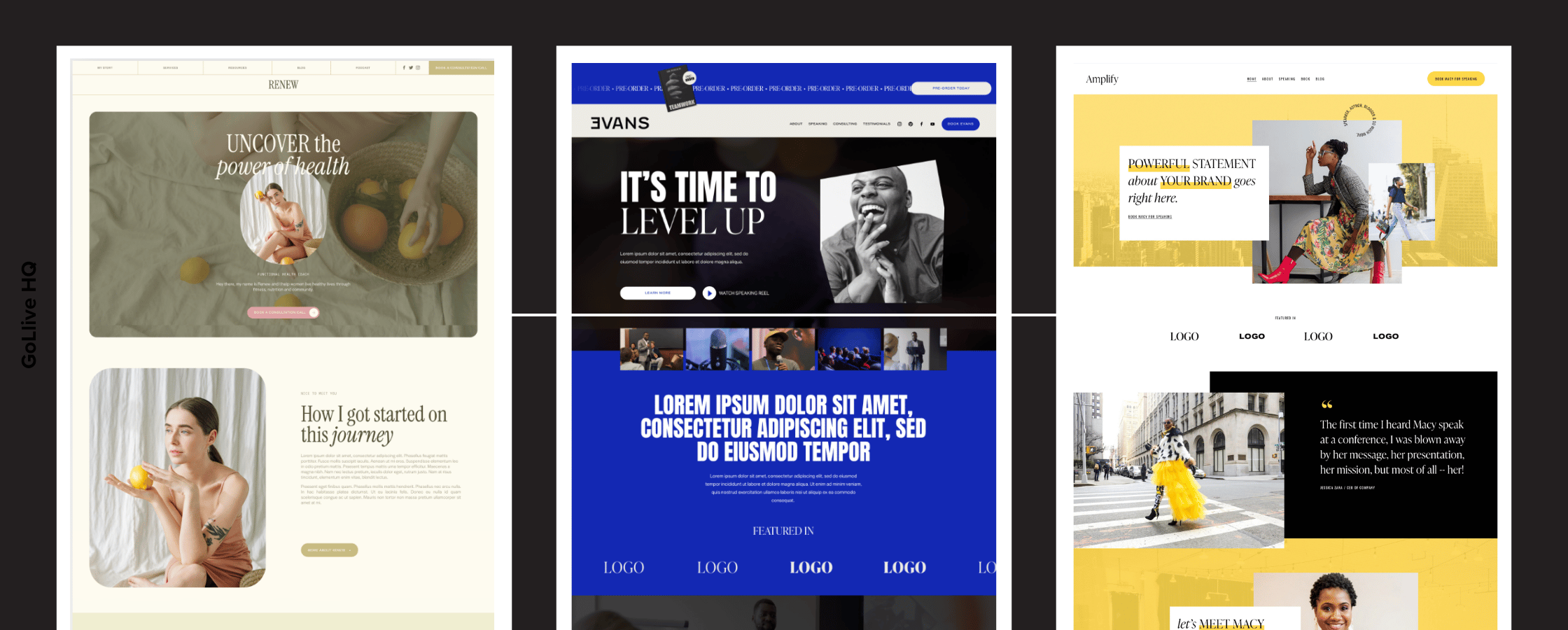
A premium Squarespace template gives you a designer-built site that you fill in with your own colors, photos, and words. You basically get to use the design and the conversion strategy from a skilled designer, without spending thousands on a custom build.
Premium templates are the best way to launch a beautiful site on a budget. It's how you look like you spent $10k on your website, without actually spending $10k.
What does a premium Squarespace template include?
Every template shop packages things differently, but a good premium template should include:
They're designed by an expert. Every section is designed by a designer with years of experience to look beautiful and build instant trust with your visitors.
The strategy is already baked in. Your headlines, offers, testimonials, and buttons are already in the order that guides visitors to take the next step and buy from you. You just swap in your colors, images, and text.
They're built on the same Squarespace 7.1 editor. So they're just as easy to use as a free template. You can drag, drop, and edit everything yourself.
You get step-by-step tutorials. Most paid templates come with customization videos, plus design, copywriting, and SEO tips, so you're never staring at the editor wondering what's next.
You get real support. A real human who answers your questions (bonus points if they send you a Loom video walking you through the fix).
We're using the same strategies we've used on 950+ custom sites to design our templates. So you get to launch a site that actually turns your visitors into customers, without the designer price tag.
Best for: Solopreneurs, coaches, speakers, experts and people who sell services who want a beautiful site that converts, without spending thousands on a designer.
What's the typical process of using a premium Squarespace template?
A premium template isn't a separate website builder or a plugin. It's built on the same Squarespace 7.1 drag-and-drop editor as the free ones, so the process is super simple:
Pick your template. Browse a designer's template shop and choose the layout that fits your business.
Get it sent to your Squarespace account. After you buy, the designer sends the template over to you on a brand new Squarespace site.
Swap in your brand. Follow the designer's tutorials to add your colors, fonts, photos, and words.
Pick a Squarespace plan and launch. Choose your hosting plan, connect your domain, and hit publish.
You still edit everything with Squarespace's drag-and-drop editor and pay Squarespace for hosting, just like you would with a free template.
The best shops to get a premium Squarespace template from
There are 100+ independent template shops out there, so here are the ones we'd send a friend to:
| Template Shop | Price | Best for |
|---|---|---|
| GoLive HQ | $299 | Coaches, speakers, experts, and service businesses who want a custom looking site |
| Big Cat Creative | $297 | Creatives and personal brands |
| Applet Studio | From $225 | Coaches and experts who like a clean, editorial look |
| Studio Mesa | $195 to $495 | Small businesses who want a minimal, modern look |
| JPK Design Co | $129 to $147 | Budget-conscious solopreneurs |
You'll also find a ton of Squarespace templates on Creative Market and Etsy, often from $ 99-ish.
Find Squarespace templates for your niche
Want to see premium Squarespace templates built for your exact industry? We rounded up our favorites, niche by niche:
So, should you use a free or premium Squarespace template?
Use a free Squarespace template if you're testing a brand-new idea, you need a one-page site live this week, or your budget is truly $0 right now. Free is a smart place to start.
Use a premium Squarespace template if your website needs to book clients. If you're a coach, speaker, or service provider, people are deciding whether to trust you in about three scrolls. A premium template hands you the design and strategy that make those scrolls count.
Here's a quick gut check:
You'd rather spend your weekend with clients than YouTube tutorials. Premium.
You've tried a free template and it still looks "off." You know it, your clients feel it, and nobody can say exactly why. Premium.
You're raising your prices. A $5k offer on a site that looks DIY is a hard sell. Premium.
You just want something online, so your Instagram bio link isn't empty. Free is totally fine.
You want it completely custom and done for you. Neither! That's when you hire a Squarespace website designer ($1,200 to $10,000+).
Free vs premium Squarespace templates FAQ
-
Yes. All of Squarespace's own templates are free with any Squarespace plan, which starts at $19 a month billed annually, and there are nearly 200 to choose from. Premium templates from independent template shops cost extra, usually $99 to $495 one-time.
-
For most service businesses, yes. A $299 premium template gives you a designer-built site with the design and conversion strategy baked in, plus tutorials and support, for about 3% of the cost of a $10,000 custom site. It's how you look like you spent $10k on your website, without actually spending $10k.
-
Free templates are basic layouts you design and strategize yourself. Premium templates are designer-built sites with the design and conversion strategy already baked in, plus tutorials and real human support. Both are built on the same Squarespace 7.1 drag-and-drop editor, so the real difference is the quality of the design and strategy, plus the extra support you get.
-
Yes, but it's easiest before you've built out your whole site. The designer sends your premium template over on a brand new Squarespace site, so you'll move your content into it rather than flipping a switch.
-
Premium Squarespace templates cost $99 to $495 one-time. GoLive HQ templates are $299 and include step-by-step video tutorials and unlimited email and Loom support.
-
You pick a template from a designer's template shop, the designer sends it over to you on a brand new Squarespace site, and you swap in your colors, fonts, photos, and words using their tutorials. Then you pick a Squarespace plan, connect your domain, and launch. It's the same drag-and-drop editor as a free template.
-
You can buy them from 100+ independent template shops like GoLive HQ, Big Cat Creative, Applet Studio, Studio Mesa, and JPK Design Co. You'll also find a ton on Creative Market and Etsy, often from $99-ish.
-
Yes. A template is a one-time design cost, and Squarespace hosting is separate, from $19 to $99 a month on an annual plan. You pay Squarespace directly, so you own your site.