
Squarespace SEO: How to Build Your Site Authority with Backlinks
We’ve built 850+ custom websites, and one thing we’ve learned? SEO is about a lot more than sprinkling keywords throughout your site. Google and other search engines want to send people to websites that provide a good user experience and sites that are regularly maintained.
That means keeping your links working and making sure visitors have somewhere helpful to go if they do hit a broken link. Building backlinks from other reputable websites can help establish your site as a trusted source in your industry.
Here are our 3 tips for building a website that gives Google the right signals and makes it easier for people to find and navigate your site.
Tip #1: Fix Broken Links on Your Site
Why Broken Links Hurt Your SEO
Google and other search engines want to send people to websites that provide a good user experience. If Google's crawlers keep hitting dead ends while indexing your site, it hurts your SEO performance and makes your site appear outdated or abandoned.
This is what happens when crawlers (what indexes your site on search engines) encounter broken links:
Makes your site appear outdated or abandoned. This signals to Google that your site is not credible or well maintained.
Makes it hard for Google to understand the different pages on your site.
Creates a poor user experience that increases bounce rates.
The good news? Fixing broken links is straightforward once you know where they are.
How to Find and Fix Broken Links on Your Squarespace Site
Broken links happen for all kinds of reasons: you deleted a page, changed a URL, or linked to an external URL that no longer exists. Whatever the cause, fixing them shows Google (and your visitors) that you're actively maintaining a quality website.
The easiest way to identify broken links is by using a free tool like Broken Link Check. Here's exactly how to use it:
Step 1: Go to BrokenLinkCheck.com
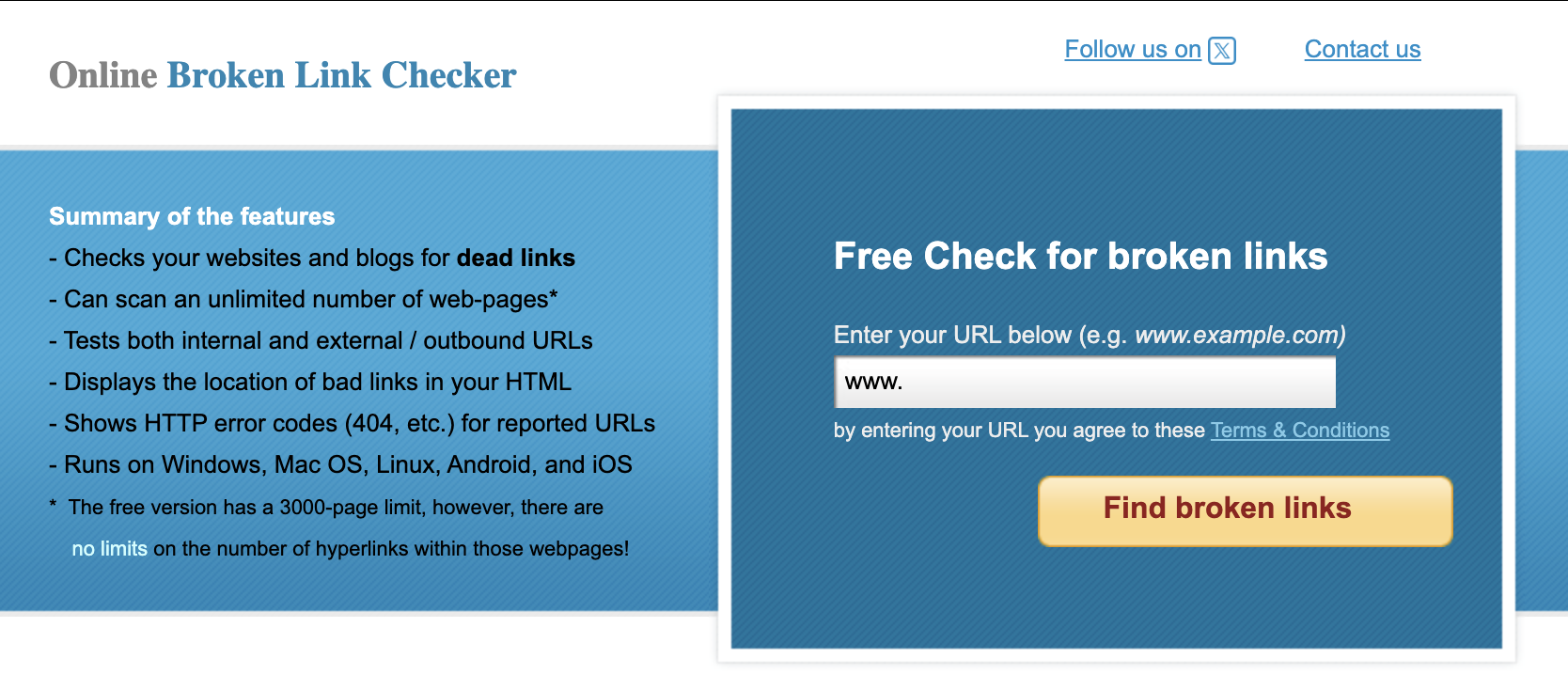
Step 2: Enter your website URL in the search field and click "Find broken links"
Step 3: The tool will crawl your entire site and generate a report showing:
Broken internal links (links to pages on your own site that don't exist).
Broken external links (links to other websites that are no longer active).
The specific page where each broken link appears.
Step 4: Review the report and fix the broken links on your site pages. You can set up URL redirects/mappings so that old or deleted URLs automatically send visitors to a relevant page instead.
Pro Tip: Run this broken link check every 3-6 months as part of your site maintenance routine. Websites change, pages get deleted, and links break over time. Regular audits keep your site healthy.
Tip #2: Create a Custom 404 Error Page
Even with the best maintenance, people will occasionally land on a page that doesn't exist—whether they mistyped a URL or clicked an outdated link. When this happens, they hit a 404 error page. Your Squarespace site’s default 404 page is bland and unhelpful.
A custom 404 page turns a dead end into a chance to keep visitors on your site, guide them somewhere useful, and show off your brand personality. Plus, it demonstrates to Google that you care about user experience, which indirectly supports your SEO efforts.
While a 404 page itself won't directly boost your rankings, it plays an important role in:
Reducing bounce rate: A helpful 404 page gives visitors options to stay on your site instead of leaving immediately.
Improving user experience: Google looks at how people interact with your site, so keeping visitors engaged and helping them find what they need - even when they land on an error page - is a good thing for your SEO.
What to Include on Your 404 Page
A good custom 404 page should:
Acknowledge the error in a friendly way: Use your brand voice. Something like "Oops! This page took a vacation" is way better than "Error 404: Page Not Found."
Offer a way forward: Include a search bar, links to popular pages, or a button back to your homepage.
Keep your navigation visible: Don't trap people on the error page with no way out.
Stay on-brand: Use your colors, fonts, and personality so it feels cohesive with the rest of your site.
How to Create a Custom 404 Page in Squarespace
Squarespace makes it easy to design a custom 404 error page that fits your brand. Here’s how to build a 404 error page for your Squarespace site so people who end up on a broken link are less likely to bounce from your site:
Step 1: In your Squarespace dashboard, go to Pages.
Step 2: Click the + button to add a new page.
Step 3: Choose Blank Page.
Step 4: Name your page "404" or "Error Page" (the title doesn't matter—it's just for your reference in the backend).
Step 5: Design your 404 page using Squarespace blocks:
Add a text block with a friendly message explaining the page doesn't exist.
Add buttons that link back to your homepage or the most popular pages on your site (for example: our 404 page points back to our 2 core offers).
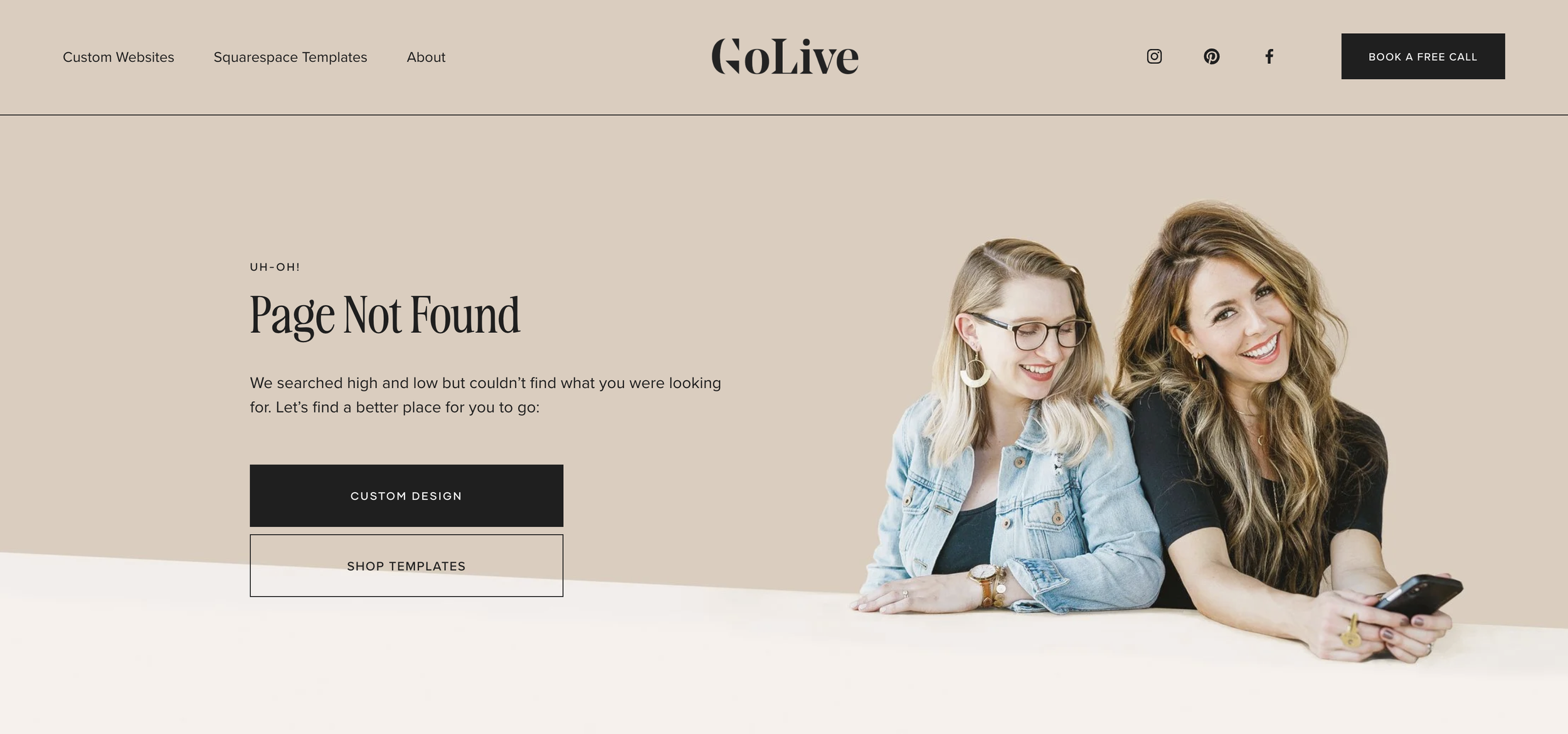
Step 6: Once your page is designed, go to your site Settings → Advanced → 404 Error / Page Not Found → Select your custom 404 page from the dropdown menu.
Now, whenever someone lands on a non-existent page on your site, they'll see your custom 404 page instead of Squarespace's generic error message.
Tip #3: Build Backlinks
Why Are Backlinks Important For Your SEO?
Backlinks are links from other websites that point to your website. Think of them as little votes of confidence. When another reputable website links to your site, it can help Google see your website as a trustworthy source and can support your search rankings.
Your Backlinks Strategy
The key is quality over quantity. You don’t need hundreds of random websites linking to you. A few relevant links from reputable websites in your industry can be much more valuable than a bunch of low-quality links.
So, how do you actually get backlinks? Here are a few simple ways to start:
Directories. Look for reputable directories in your industry where you can create a profile and link back to your website. For example, if you’re a wedding photographer, you could list your business on a directory like The Knot.
Write Guest Posts. Reach out to websites your audience already reads and offer to write a helpful article for them. You can often include a link back to your website.
Get Featured or Interviewed. Podcasts, blogs, online publications, and industry websites often link back to the websites of the people they feature.
Look for Partnerships and Collaborations. If you work with other businesses or professionals, look for natural opportunities to mention each other and link to one another’s websites.
You don't need to obsess over getting backlinks from everywhere. Focus on getting your website mentioned by websites that are relevant to what you do and that your potential customers actually trust. Those are the links that can be most useful for building your site's authority over time.
Need more SEO help?
You might like these (FREE) SEO guides: